I got this wild hair to try to create an effect within RPG in a Box to make a ripple effect on the ground. I had the general idea of wanting a circle like pattern to emerge from a center point. So the first step was to learn how to make a circle on a grid. This problem is as old as computer graphics and has been solved. Repeatedly. I went to google and found this website with information on how to draw a circle. It became the basis for this work.
With algorithm in hand, it was time to see how best to implement in RPG in a Box with Bauxite. The first pass had me creating tiles in a circle. Which worked. Adding tiles had a couple of draw backs though. You have to do checks to see if the tile exists before placing it. The algorithm was designed with the potential of the same grid location being written to it more than once. Also, adding a tile with Bauxite was noticeably slow.
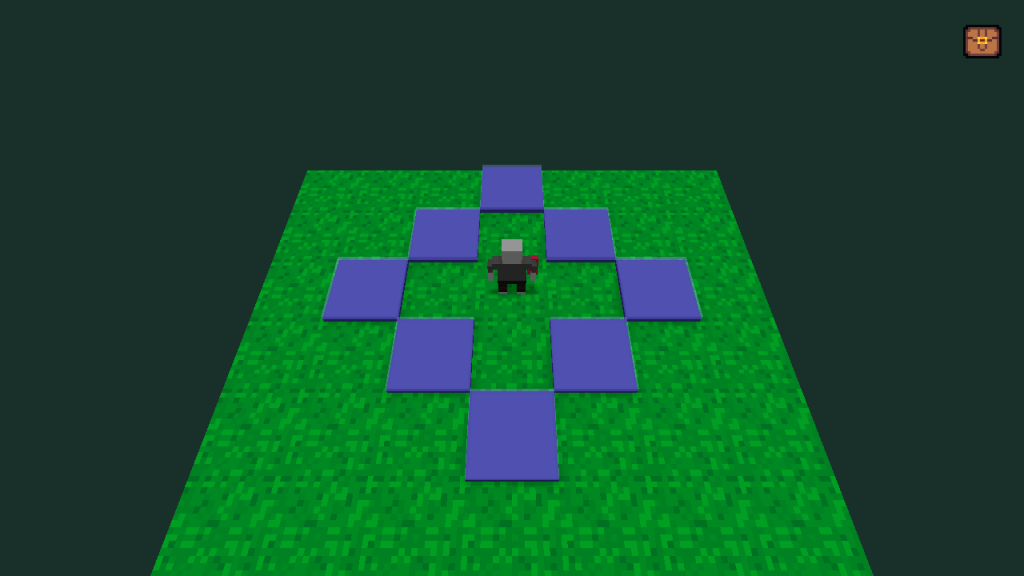
The split second slowness wasn’t ideal. It is also known that adding things into the map can be slow. So I looked at using frames of animation on existing tiles to do it. Using the frames of existing tiles worked out much better. After some trial and error, I got a pulsing circle as shown in the GIF at the top. Not too shabby.
And without much further ado, the code that makes it happen.
File 1: DrawTarget
// Name: draw_circle
// Description: Will draw a circle on tiles based on the center and radius using the frame number on the tile
// The tile must have that frame available to be used.
// Parameters:
// $center: a coord marking the center of the circle
// $radius: the radius in tiles of the circle
// $frameId: the frame id of the tile used to paint the circle
// Dependencies:
// set_tile_frame() found in Global Functions
// https://www.redblobgames.com/grids/circle-drawing/
function draw_circle($center, $radius, $frameId) begin

	$r = 0;
	$radIteration = floor($radius * sqrt(0.5));

	while $r <= $radIteration do
		$inner = sqrt($radius * $radius - $r * $r);
		$d = floor($inner);
		set_tile_frame(coord[$center.x - $d, $center.y + $r, $center.z], $frameId);
		set_tile_frame(coord[$center.x + $d, $center.y + $r, $center.z], $frameId);
		set_tile_frame(coord[$center.x - $d, $center.y - $r, $center.z], $frameId);
		set_tile_frame(coord[$center.x + $d, $center.y - $r, $center.z], $frameId);
		set_tile_frame(coord[$center.x + $r, $center.y - $d, $center.z], $frameId);
		set_tile_frame(coord[$center.x + $r, $center.y + $d, $center.z], $frameId);
		set_tile_frame(coord[$center.x - $r, $center.y - $d, $center.z], $frameId);
		set_tile_frame(coord[$center.x - $r, $center.y + $d, $center.z], $frameId);

		$r += 1;
	end; // while
	return 0;
end; // function

// fade in
for $i in range(1, $maxRadius) do
	$need = draw_circle($center, $i, 2);
end;
wait(0.05);
for $x in range(1, $maxRadius) do
	$need = draw_circle($center, $x, 1);
end;
File 2 (goes into Global Functions):
// name: set_tile_frame
// Description sets the frame of the tile
// Parameters:
// $center: a coord datatype
// $frameId: the frame to change the tile to
function set_tile_frame($center, $frameId) begin
    if(tile[$center.x, $center.y, $center.z] == null) then
        return;
    end;
    tile[$center.x, $center.y, $center.z].frame = $frameId;
end;
And then a script to help kick it off which I had called TargetTile. This is just a way to activate the script. There are other ways to start the DrawTarget script such as walking into a tile, NPC interaction
$result = request_coordinate(0, -64, 64, 16);

$center = $result;
$maxRadius = 4;
execute_script("DrawTarget", true);
The tiles used on the map must have at least a 2nd frame of animation on it. The draw_circle function could be put into a global function and used in other places.
That’s pretty much it. If you use any part of this, be sure to pay it forward with how you used it or improved upon it.
 A Wrinkle in Silver